content systems for AI
- SCOPE
- Content, conversation, model design
- Company
- Roblox
- For
- Anyone in design, product, or eng
- With
- Product, design, design eng
Making content systems the foundation for an assistant.
Builders—Roblox employees, basically—lacked quick, reliable support for writing UX content. Our nascent content design team couldn’t scale to review everything ourselves, and we needed to empower non-content designers to make high-quality, consistent copy on their own.
Meanwhile, the design org was rapidly innovating an AI design system with an internal companion, Design Assist, for Figma and Slack.
We saw an opportunity for content design functionality in Design Assist, and to treat content systems (voice, tone, heuristics) as infrastructure other AI tools could build on. With non-content designers empowered to write copy themselves, we’d be free to focus on strategic work.
I led the foundational work and designed how the assistant would put it to use.
a voice without guidelines
The first step was training the assistant on content guidelines, but we didn't have any.
Roblox's voice and tone did exist, for brand. It just didn't translate into how the product should actually speak. And since we didn't have years of content design docs to draw from, we adapted the brand voice and tone.
We prioritized the surfaces Builders wrote for most (buttons, errors, upsells) and foundations (voice, empathy, style). I owned the foundational guidelines.
Every other page, and later the assistant, measured copy against the product voice.
written for two readers
Guidelines were written with a principle, an instruction, a do-and-don’t pair, and why it works. Brief for eyes to skim, consistent for a model to find and apply.
A CTA, an upsell, or an error message could all be checked against the same voice and tone: confident, inviting, authentic, optimistic.
the first prototype
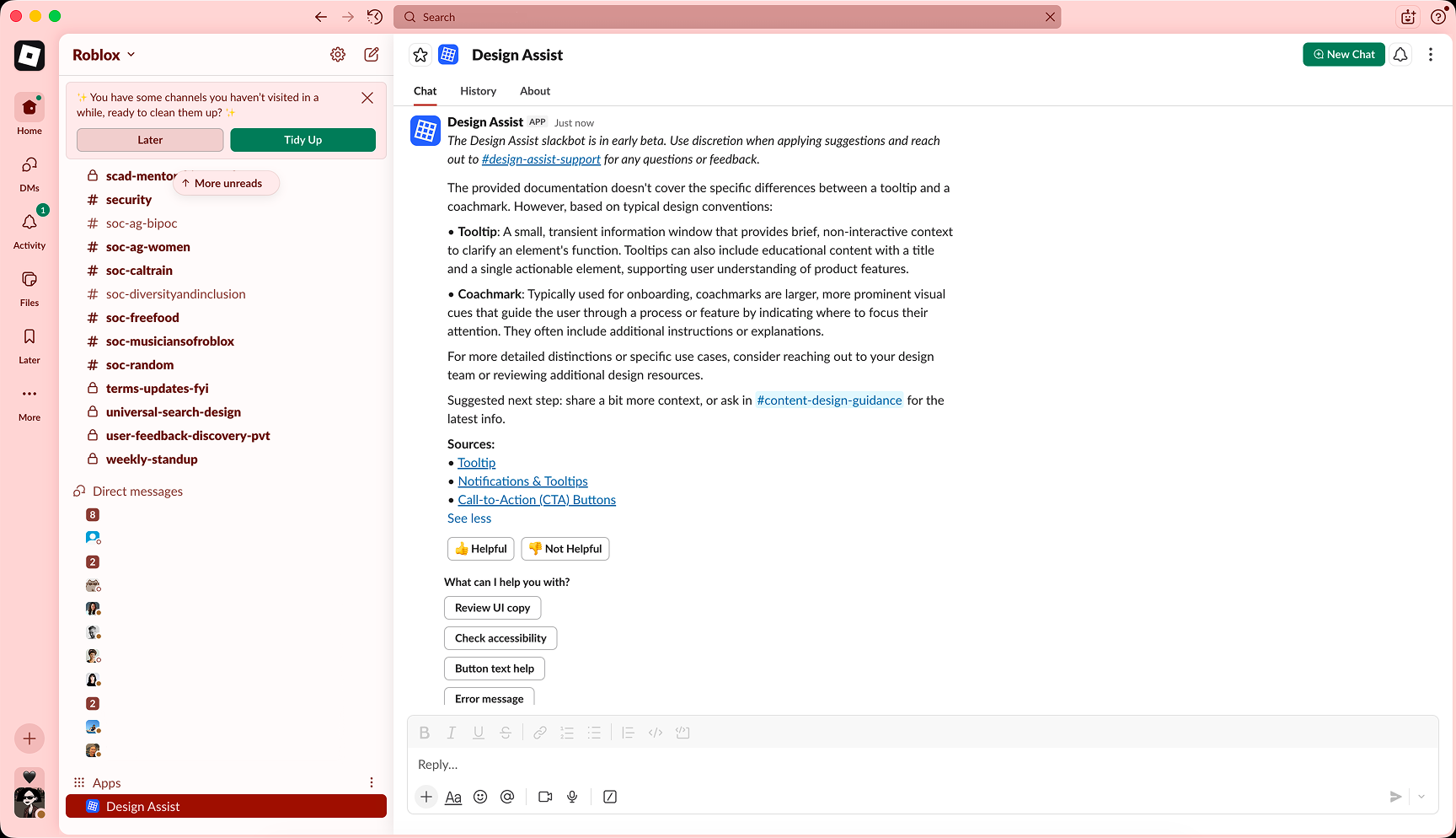
A mockup of how it'd talk to you on Slack, built to test tone and conversational flow.
AI-portrait Mona Lisa wasn't shipped.
Having a base to work from, we moved to Design Assist, a RAG-powered assistant connected to our Confluence hub and shipping as a Figma plugin and Slack app. Slack couldn't support the prototype's back-to-back messages, so we simplified. Conversations start when you open the app, and quick actions follow each response to keep the exchange going.
The agent scans text layers for standard violations, offering inline suggestions and linking to relevant guidelines or past discussions.
Builders submit content for review and get suggestions based on our standards. Content designers refine suggestions for the agent to learn from via self-tagging docs.
designing for trust
Each behavior from this assistant traced back to a line in its system prompt.
when it broke its own rules
Early outputs didn't sound like us. The assistant recommended title case for headers and CTAs, the exact pattern our style guide ruled out, and peppered its guidance with exclamation points. I revised the system prompt to show what our voice sounded like.
zero to shipped in record time
guidelines built for the assistant
Starting from zero meant designing for the assistant from day one. Now I start every content system the same way: if a model can't apply it, it's not done.